

Before someone calls a plumber, cleaner or mover, they often look for evidence that another person got the work they paid for. A review can supply details a business cannot credibly write about itself: whether the crew arrived, explained a change in price or came back to fix a problem. The useful ones are genuine, recent and specific enough to help a stranger judge the fit.
Quick Answer: Why Do Customer Reviews Matter?
Customer reviews reduce uncertainty. They show what real jobs were like, help people compare providers and reveal how a company handles feedback. Google also says review information can contribute to local search prominence, alongside other factors. For the owner, repeated comments about scheduling, quotes or workmanship are free operational feedback. Reviews cannot promise a ranking or a sale.
Reviews Answer the Questions a Service Page Cannot
A company page can list services and service areas. It cannot tell a new customer what happened when the last appointment ran late. Someone choosing an electrician may want to know whether the estimate was explained before work began. A person planning a move may care more about communication on moving day than a polished slogan. Reviews add that missing context.
Specificity helps. These are illustrative examples, not actual customer comments:
Less useful: “Great service. Highly recommend.”
More useful: “They replaced two bathroom fixtures, explained the price before starting and finished that afternoon.”
Neither comment proves every future job will go the same way. The second one simply gives a reader something concrete to compare with their own needs. In our guide to checking a contractor, we suggest looking at evidence alongside licences, references, scope and a written quote. A review is one part of that check.
How Reviews Influence Local Discovery
Google's local ranking guidance describes relevance, distance and prominence as its main local factors. It says review count and positive ratings can help local ranking as part of prominence. That is narrower than “more reviews automatically put you first.” A complete, accurate Business Profile and the customer's location also matter; Google does not sell a better organic local position.
Do not chase a number for its own sake. A pile of vague praise says less about a cleaning company than a smaller set of genuine comments covering punctuality, what was cleaned and how questions were handled. Reviews are useful both as customer evidence and as a record of what your team does well or needs to fix. Good service comes first.
Ask at a Sensible Point in the Job
The simplest moment is after the work is complete and the customer has had a chance to inspect it: after a final handover, a completed clean or a follow-up about a repair. The details are still fresh. Asking while someone is signing a quote or while a problem is being argued about can feel like pressure.
Use a consistent request process for real customers, whatever rating you think they might give. Google's content policy prohibits selectively soliciting positive reviews or discouraging negative ones. If a complaint is open, address it properly; do not make a favourable review the price of a remedy or quietly exclude that customer from your normal process.
How to Ask Without Sounding Awkward
Use the words you would use in a normal follow-up. One request is enough. For example:
Text: “Thanks for having us in today. If you have a minute, would you leave an honest Google review of the work? Here's the link: [review link].”
Email: “Thanks for working with us. We'd appreciate a review about your experience, including anything we could do better. You can leave it here: [review link].”
In person: “Once you've had a chance to check everything, you're welcome to leave us an honest review. I can send you the link.”
These are request templates, not words to put in a customer's review. Avoid “If you're happy, give us five stars,” or a private survey that sends only positive respondents to Google. Ask for an honest account, and let the customer decide whether to post and what to say.
Make Leaving a Review Easy
Google lets a business share a direct review link or QR code. On a computer, open your Business Profile, choose Read reviews, then Get more reviews to copy the link or save the QR code. Test the link before adding it to an invoice email, thank-you message or receipt. A printed card can work at a final handover. Keep the request brief and avoid repeated reminders.
The link removes a few clicks; it does not entitle the business to a review. Customers need a Google Account to post one. If they prefer to give feedback by phone or email, listen there too.
Keep the Request Honest
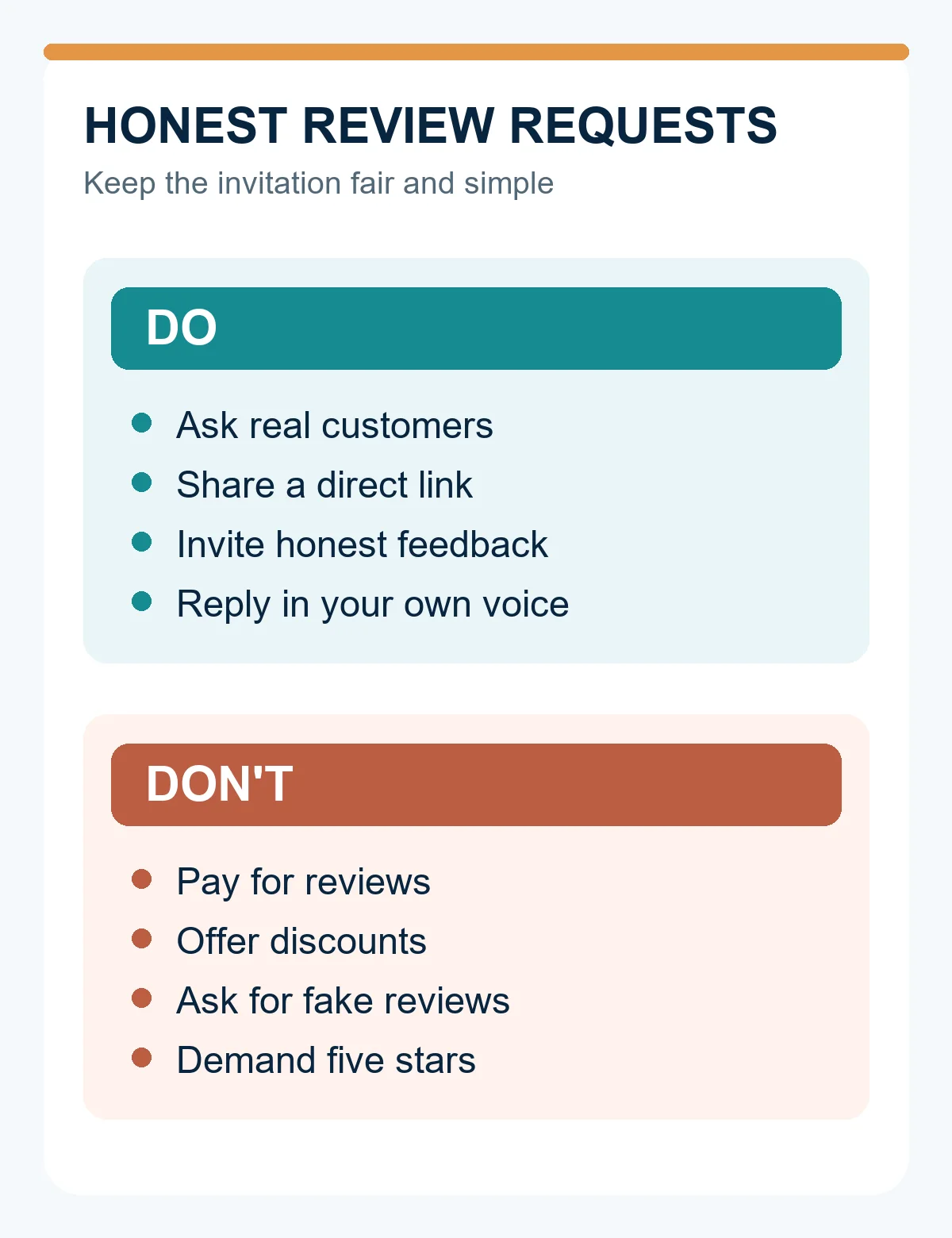
Google allows requests for reviews about genuine experiences when the business does not influence the rating or content. Its policy prohibits payment, discounts, free products or services in exchange for posting, changing or removing a review. It also prohibits fake accounts, reviews from people without real experience and conflicts of interest, including employees pretending to be customers. Do not tell people to mention a service keyword, demand five stars or offer a refund for deleting criticism.
The distinction is practical: “Would you share your experience?” leaves control with the customer. “Mention our bathroom renovation service and we'll give you 10% off” tries to buy a particular result. Google's review tips recommend valuing honest, balanced feedback. A critical but genuine review may help a future customer understand what happened and help you repair a weak process.
Reply to Praise Like a Person
After your Google Business Profile is verified, you can reply publicly to reviews. Keep a positive reply short, specific and appreciative. An illustrative reply to a mover might be: “Thanks, Alex. Glad we could finish the move before your lease ended. We appreciate you choosing us.” Do not repeat private details the reviewer did not disclose, and do not turn every thank-you into a list of services and search terms.
Should you reply to every review? Reply consistently enough that people can see you pay attention, especially where a question or concern needs an answer. Google says helpful replies can show responsiveness; it does not require a reply to every comment. Ten identical “We value your feedback” messages add little. A short, genuine response is usually better than a canned paragraph.
Handle a Negative Review Before You Start Typing
Read the complaint, then check the job record, dates and messages. Was the appointment moved? Was the quote changed after a hidden problem appeared? Is the reviewer describing a different project? Establish what you know before writing in public.
Your reply should acknowledge the concern, correct a factual point calmly if needed and offer a next step through your normal support channel. Keep addresses, invoices, phone numbers and private disputes out of the reply. If the problem is complex, take the detailed conversation offline, then follow through. Avoid an emotional argument even when you believe the account is unfair: prospective customers will read your tone too.
Illustrative example, not a real dispute:
Poor reply: “This review is completely false. You were the problem.”
Better reply: “Thanks for raising this. We understand the scheduling changes were frustrating. We'd like to review what happened and speak with you directly. Please contact us through our usual support channel.”
The better reply offers a route to resolve the issue without publishing private facts or making a blanket legal admission. If the business made an error, say what you can actually do about it. If it did not, explain the relevant limit without attacking the customer. Google's guidance for replies similarly recommends privacy, professionalism and useful next steps.
What If a Review Looks Fake?
Check whether the account or content appears to violate Google's policy. Google lets a business report inappropriate reviews, but only policy violations are eligible for removal; a disagreement with genuine criticism is not enough. Flag the specific review with an accurate reason, keep your records and wait for Google's decision. Do not ask staff or friends to mass-report a customer's honest complaint. Removal is not guaranteed.
Use Feedback to Fix the Next Job
Once a month, spend 20–30 minutes on a review audit. Read the new comments and note repeated themes. “Arrived late” in three different jobs may point to overbooked travel time. “Quote was unclear” may mean exclusions are buried in a follow-up email. Repeated praise for clean work tells you what customers notice; check that your website and portfolio show that standard honestly.
Choose one fix for the next month: add a scheduling buffer, explain estimate assumptions before work starts, or give the office a clear reply deadline. Update a frequently asked question if people keep asking the same thing. Reply to unanswered reviews where a response would help, then review whether the fix reduced the complaint. You can do this in a simple sheet; you do not need reputation software.
Reviews should also fit the rest of your presence. If people praise quick replies while your contact form goes unanswered for days, fix the form or the process. If they praise renovation work but your company page has no permitted project images, add useful examples. Our business-profile guide shows how to make a profile easier to assess, and the local customer growth guide puts reviews beside service pages, response times and quotes.
How Many Reviews Do You Need?
There is no universal target that guarantees a ranking, call or booking. New businesses can start with completed jobs from real customers. Ask each one once at a consistent stage, without selecting only those likely to praise you. Over time, genuine, recent comments about relevant work are more useful than an arbitrary number reached through pressure.
If you have no reviews yet, start with the next completed job. Do not ask friends who have never hired you or create accounts to seed the page. One honest request process is easier to maintain than a campaign you abandon after a week.
A Review Routine You Can Use Today
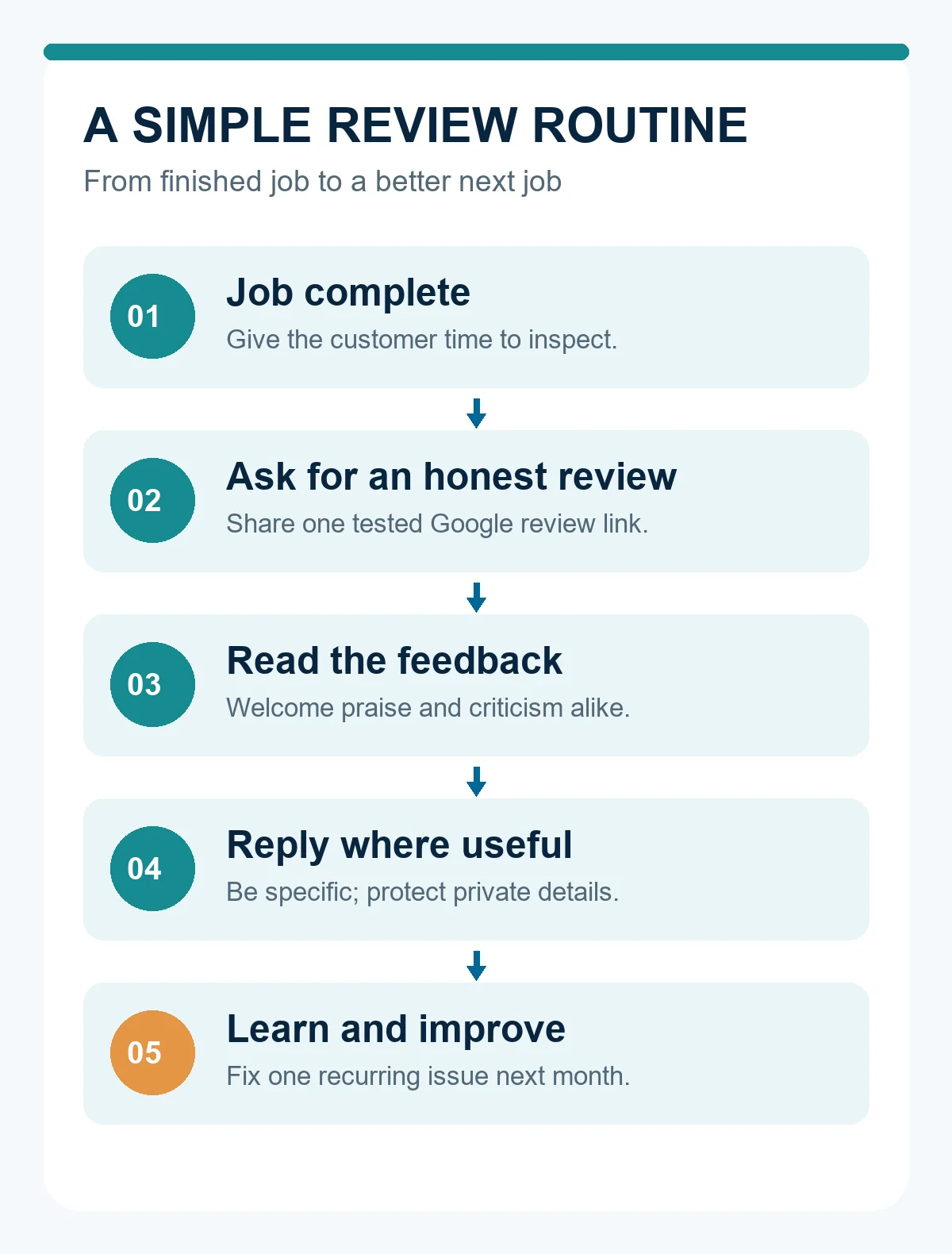
Job complete → customer has time to inspect → send a plain thank-you with a review link → read any feedback → reply where useful → note a lesson for the next job. If no review arrives, leave it there. Keep customer service open whether feedback is public or private.
For WhatsApp or another message app, a third short template is enough: “Thanks for having our team out. If you'd like to share how the job went, here's our Google review link: [review link]. Honest feedback helps us see what to keep or change.” For replies, use a simple structure: thank the person and reference one public detail for praise; acknowledge the concern and offer a concrete contact route for criticism. Change the words to fit the actual job.
Customer Review Checklist for Local Businesses
- [ ] Deliver the work before asking.
- [ ] Use the same fair process for real customers.
- [ ] Share a tested direct link or QR code.
- [ ] Ask for an honest account without suggesting a rating or wording.
- [ ] Offer no payment, discount or free service for a review.
- [ ] Reply in a human voice and protect private details.
- [ ] Report policy violations, not ordinary criticism.
- [ ] Read themes monthly and make one operational improvement.
How Reviews Fit Beside Dr. Octopus
When someone compares providers, external reviews are one source of context. A complete Dr. Octopus business profile can show what a company says it does, where it works and examples of its work. Visitors can also browse the Companies Directory. Keep those details consistent with your own website and Google Business Profile. For the review routine in this guide, send people to your Google Business Profile; do not suggest they can post a review on Dr. Octopus.
If your services or work images have changed, update your profile. New businesses can join as a Business; an existing business can review its profile. A clear profile helps a customer understand your offering, while honest feedback helps them understand past experiences. Neither guarantees a lead.