

A phone call from someone outside your service area is not much use. Neither is a website visit from a person who cannot tell what you do. A local business needs enquiries from nearby people with jobs it can actually take on, then a reliable way to answer them. Start by making the path from search to quote easy to follow.
Quick Answer: How Can a Local Business Get More Customers Online?
Complete and maintain your Google Business Profile, explain your services and real service area on a mobile-friendly website, and show permitted photos of finished work. Ask customers for genuine reviews. Answer enquiries while the details are fresh, send quotes that spell out scope and price, and record where each lead came from. Add a relevant marketplace as another way for customers to find you. None of these steps guarantees a customer; together they make it easier for the right person to understand and contact your business.
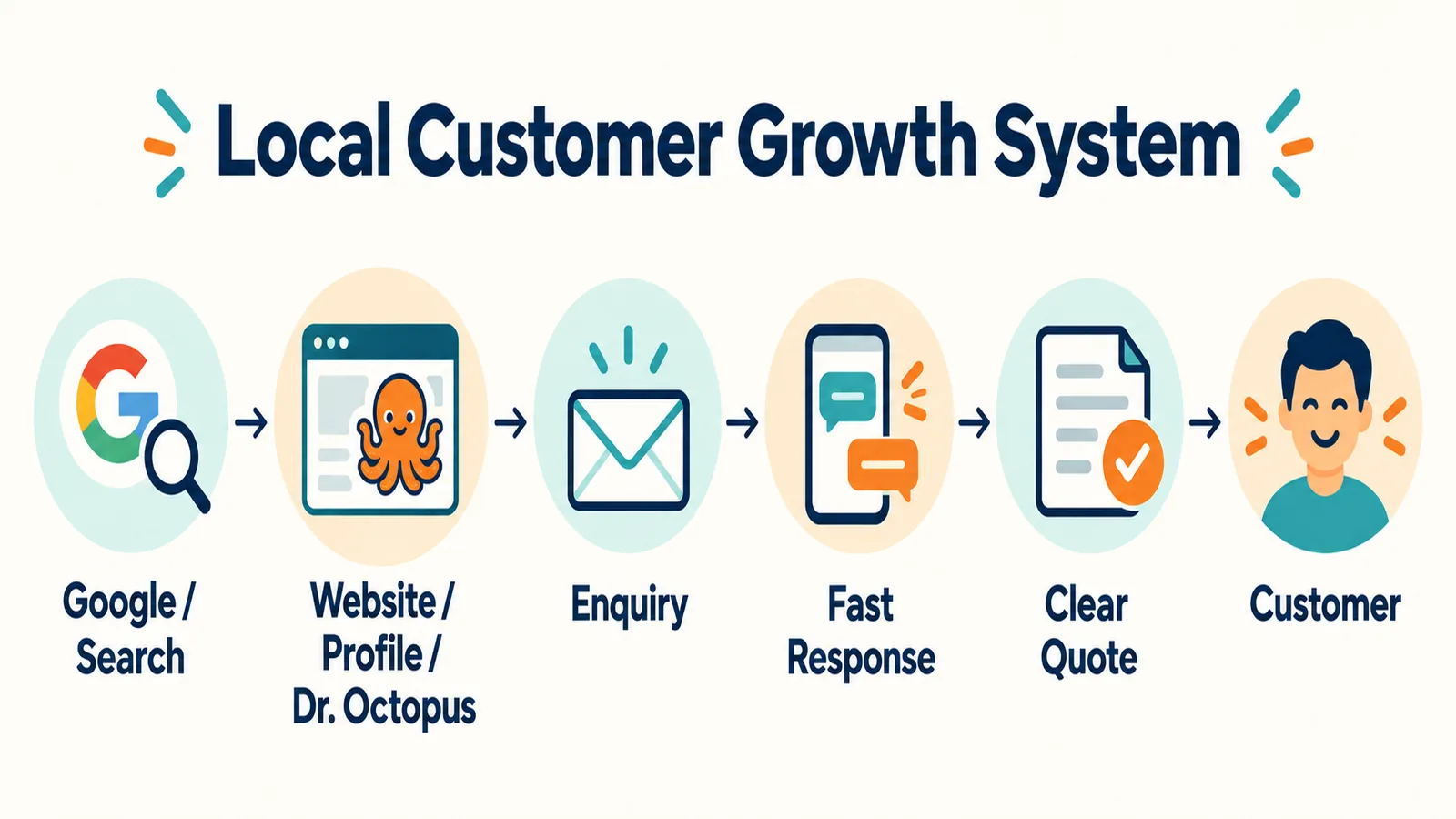
First, Stop Trying to Be Everywhere
A small crew can lose an afternoon making posts for six channels while yesterday's enquiry waits in an inbox. Pick a manageable foundation: your Google Business Profile, a useful website, one or two sources of enquiries, and a repeatable follow-up routine. Keep the social channel where your customers already engage. Add another only when the current channels are maintained and you can tell what they produce. A referral business does not need to become a daily video publisher to improve its online enquiries.
1. Put Your Google Business Profile in Order
Google says local results are mainly influenced by relevance, distance and prominence. Its local-ranking guidance recommends verifying the profile, keeping business details complete and accurate, managing hours, adding photos and responding to reviews. It also says there is no way to request or pay for a better organic local ranking. Treat the profile as information customers can use, not a shortcut to first place.
Open yours as a customer would. Check the real business name, primary category, address or service area, phone, website, opening hours and recent photos. If you travel to customers, make the service area accurate rather than implying you have a storefront customers can visit. Update holiday hours before the holiday. Call the listed number from a phone. Ask a colleague unfamiliar with the business to tell you what service the listing suggests.
Google's business-representation rules say the profile name should reflect the business's real-world name. Do not turn a name such as the fictional “Northline Electric” into “Northline Best Cheap Electrician Toronto Vaughan Richmond Hill.” Put categories, location and services in their own fields. Keyword stuffing can make the listing harder to trust and can conflict with Google's rules.
2. Make the Website Answer Five Questions
On the first screen, a visitor should be able to find what you do, where you work, why the business might fit, examples of work, and how to contact you. “Complete solutions for all your needs” answers none of those questions. A fictional electrical business could instead say: “Residential panel upgrades, lighting and EV charger installation in Toronto and Vaughan.” Add a clear route to request a quote and say what information helps you price the job.
Give important services their own useful pages. A renovator might have kitchen renovation, bathroom renovation and basement finishing pages; a cleaner might separate routine house cleaning from move-out cleaning. Describe what each service normally includes, common variables, the areas served, relevant photographs and the next step. Link from the main services page to those pages. Do not copy one paragraph across thirty city pages and swap the place name. Create a location page only when it has genuinely different information for that area.
If your site has accurate business details, a developer can add LocalBusiness structured data where appropriate. It helps describe information to search systems; it is not a ranking guarantee. First make sure the visible page itself is useful.
3. Show Work a Customer Can Judge
A crisp photograph of a finished bathroom can answer questions that a stock image cannot. A mover can show organized equipment and a safely packed load; a cleaning company can show a completed space. Choose photographs that match the services you want to sell. Use good light, remove near-duplicates and explain the scope in a sentence when context matters. Get permission before showing a customer's home, people, documents or address. Never present stock work as your own. Our contractor-checking guide shows the kinds of evidence a careful customer may ask about.
Ask real customers for reviews after a completed job. A plain message is enough: “Thanks for choosing us. If you have a moment, would you share an honest Google review of your experience?” Give the official review link, ask without scripting the answer, and never offer payment or a discount in exchange. Google's content policy prohibits incentivized or fabricated reviews. Read and answer feedback in your own voice. An illustrative reply might be: “Thanks for taking the time to write this. I'm glad the move-in cleaning was ready before your keys arrived.” Do not copy the same response under every review or expose private job details.
Reviews can help customers assess a business, and Google lists them among signals of local prominence. They do not guarantee a particular position or a booked job. Show proof across your website and profiles through real project examples, accurate service descriptions and permissioned images, rather than inventing testimonials.
4. Make Contact Easy, Then Answer Properly
Check your site on a phone. Can someone find the contact button without hunting? Is the form short enough to finish? Does the page remain readable when the keyboard opens? Avoid a large pop-up that covers the phone number. Speed matters too: resize images and remove anything that delays the first useful information. Test the form yourself and check where its messages land.
When an enquiry arrives, send a useful first response. “Hello yes available” leaves the customer with the same questions. Try: “Thanks for reaching out. Could you send two photos of the area and your preferred timing? Once we have those, we can confirm the next step and prepare a quote.” Adapt it to the job. Acknowledge the request, ask for missing facts and give a realistic time for your next reply. Do not promise an instant quote if you need a site visit.
The quote should make the decision easier: scope, price, timing, what is included, what is excluded and the next step. A customer may be comparing local service quotes or learning why multiple quotes help. Explain where your offer differs. Better marketing cannot rescue a vague quote that omits key work.
5. Publish Answers to Questions You Already Hear
Keep a note of questions from calls and estimates. A plumber might explain recurring drain clogs; a mover could explain what changes an estimate; a cleaner could list what a deep clean covers. Write one useful answer with a real example and a clear next step. Then reuse its main points in a short social post, a customer email or a brief video if those formats fit your team. A single accurate page is more valuable than a calendar filled with unrelated SEO topics.
6. Add a Marketplace as Another Discovery Route
A local-service marketplace can put a company page and relevant requests in a place customers are already browsing. Keep your website, Google listing and referral relationships current as well. On Dr. Octopus, a business can create an account, complete its business profile, add named services, review opportunities and submit proposals for requests it can fulfil. The Companies Directory displays businesses that meet the current approval and profile requirements; signing up alone does not place a company there immediately. Eligible businesses can receive notifications for matching posted requests, but the number or timing of opportunities is not promised.
Write services you actually provide, with accurate prices and details. The business-profile guide walks through images, descriptions and a five-minute page audit. The public-facing How It Works section explains the broader customer journey. Use the same scope and contact information across your own site, Google listing and Dr. Octopus. A customer should not have to reconcile three different versions of your business.
7. Count Customers, Not Followers
Start a simple sheet with columns for date, customer or enquiry, source, service, quote sent, won or lost, and revenue. Use source names you can distinguish: Google, website, Dr. Octopus, referral, Instagram, Facebook or other. Ask “How did you find us?” when the answer is unclear. Mark repeat customers separately so a loyal referral is not counted as a new lead from a social post.
After a month or two, review calls, qualified enquiries, quotes, booked jobs and revenue by source. If you pay for a channel, record the spend so you can estimate cost per enquiry and, when enough jobs exist, cost per acquired customer. Ten thousand followers are not a business result by themselves. Nor does one quiet week prove a channel has failed; compare a useful period and the quality of the jobs it brings.
Spend a first marketing budget where a real bottleneck exists. If calls go unanswered, fix follow-up before buying more clicks. If the website hides your services, improve it before a large ad campaign. If customers cannot find your hours or area, fix the listing. Delay expensive rebranding, purchased followers, generic SEO packages and software your team will not use. Paid ads can make sense once the offer, contact flow and measurement work.
A Practical 30-Day Customer Growth Plan
Use this as a sequence, not a demand to post every day. Some tasks take ten minutes; a service page or case study may need a longer block. If you already have a working step, verify it and move on.
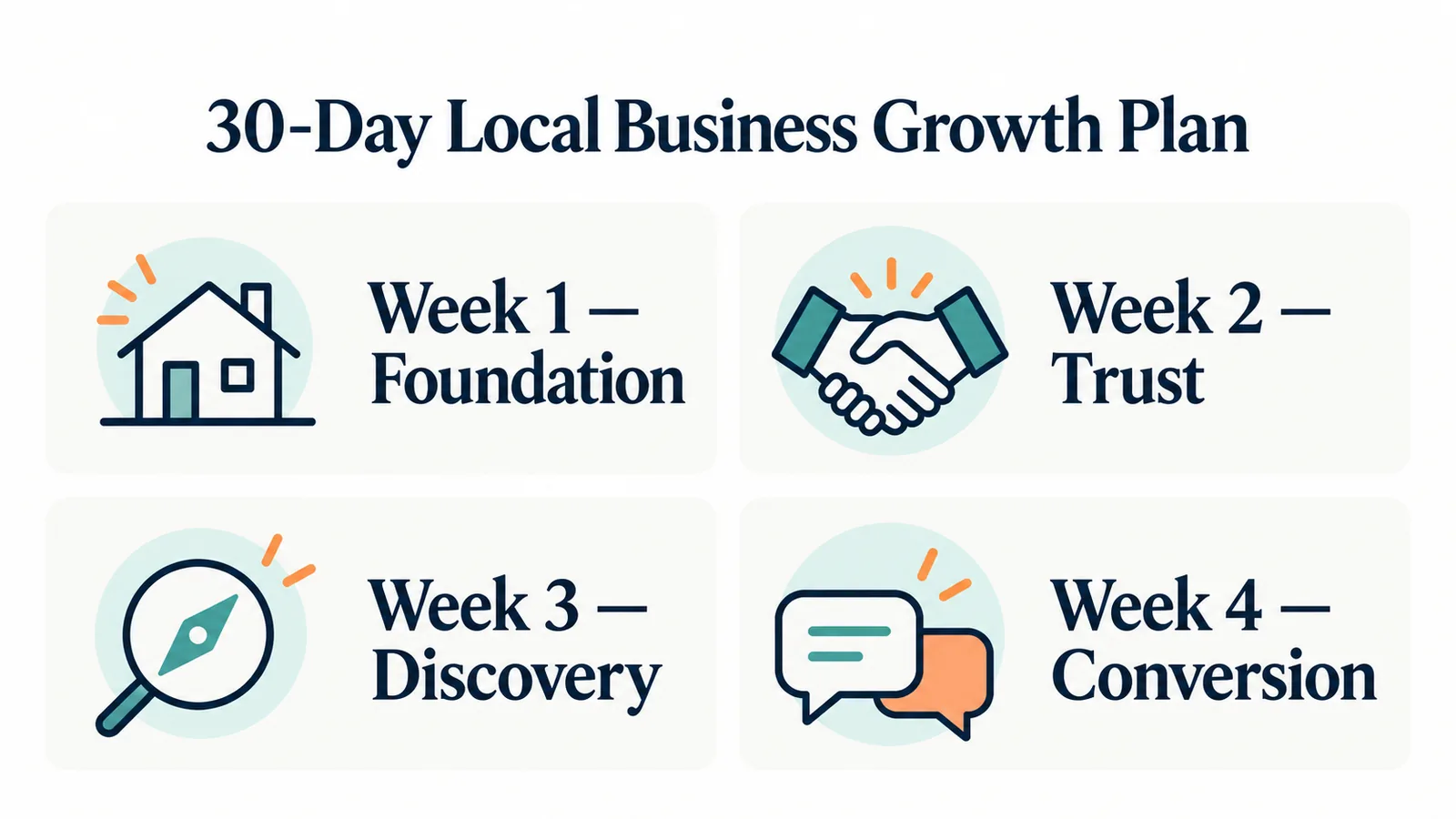
Week 1 — Foundation
- Day 1: Open your Google Business Profile as a customer and list errors.
- Day 2: Correct name, category, contact details, hours and real service area.
- Day 3: Compare your main services with what the profile and website actually say.
- Day 4: Choose three permissioned project photos that show different work.
- Day 5: Rewrite the homepage's first paragraph to name service and area.
- Day 6: Test the mobile call button and form; fix the point where you get stuck.
- Day 7: Create the lead sheet and enter recent enquiries you can identify.
Week 2 — Trust
- Day 8: Ask one recent customer for an honest review, without an incentive.
- Day 9: Reply to existing reviews with specific, privacy-safe responses.
- Day 10: Write a short, permissioned example of a completed job and its scope.
- Day 11: Check every public business description for vague claims.
- Day 12: Rewrite one service description so it explains what is included.
- Day 13: Add the strongest portfolio images to relevant service pages or profiles.
- Day 14: Verify that phone, hours and service area agree wherever you list them.
Week 3 — Discovery
- Day 15: Choose one service customers actually ask for by name.
- Day 16: Improve its page with scope, location, proof and a contact route.
- Day 17: Add real service-area details without cloning city pages.
- Day 18: Draft an answer to a customer question from a recent enquiry.
- Day 19: Publish that answer on your site and link it from the relevant service page.
- Day 20: Reuse one point as a social post on your best-maintained channel.
- Day 21: Review your Dr. Octopus profile and services for accuracy.
Week 4 — Conversion
- Day 22: Save a first-reply template that asks the right missing questions.
- Day 23: Update your quote template with scope, price, timing and exclusions.
- Day 24: Put a clear contact action on the pages people actually visit.
- Day 25: Follow up on open estimates where the customer invited further contact.
- Day 26: Fill in missing lead sources in your sheet.
- Day 27: Compare qualified leads and booked jobs by source.
- Day 28: Pause one low-value activity that consumed time without useful enquiries.
- Day 29: Give that time to a channel bringing suitable jobs.
- Day 30: Set one measurable goal for next month and assign an owner to it.
Keep a Small Weekly Routine
On Monday, check new enquiries and update the lead sheet. Midweek, correct one listing or service page and ask an eligible customer for an honest review. On Friday, look at unanswered leads and quotes awaiting a reply. Once a month, compare booked work and revenue by source. If the routine takes more time than your team has, reduce the number of channels before abandoning the tracking.
Local Business Marketing Checklist
- [ ] Google profile verified, accurate and current
- [ ] Website explains services, location and contact route
- [ ] Important services have useful individual pages
- [ ] Real project images are sharp and permitted for use
- [ ] Review requests are honest and responses are personal
- [ ] Mobile enquiry flow works from start to finish
- [ ] New leads get a useful first reply and clear quote
- [ ] Dr. Octopus profile and service details are current
- [ ] Lead source, booked jobs and revenue are recorded
Pick five items you can fix this week. Then watch whether more of the enquiries are for work you can actually take on.